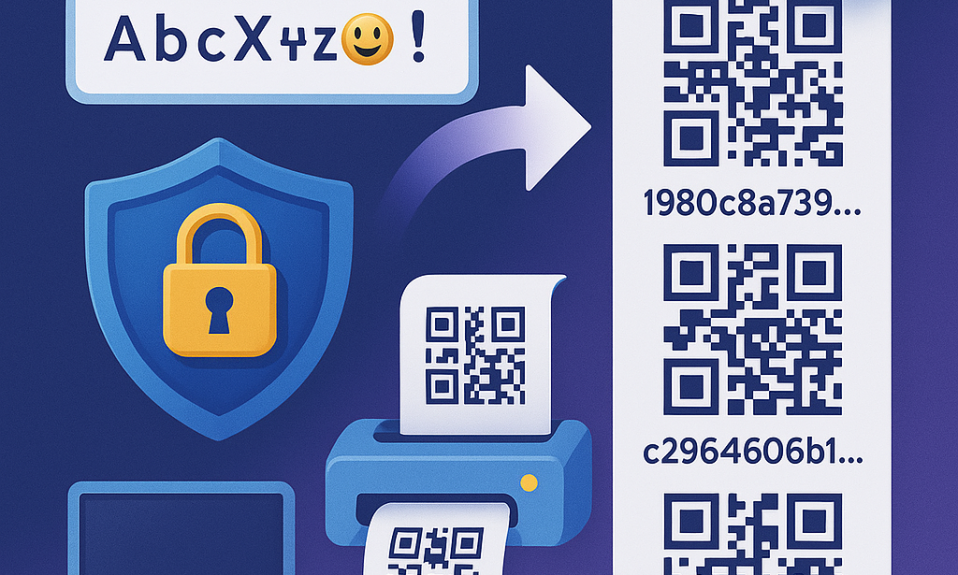

We believe you shouldn’t just trust a crypto wallet — you should be able to verify it. That’s why we provide everything you need to inspect exactly what our app does on your device.
No hidden code. No blind trust required.
How your wallet works — the simple version
Before diving into verification, here’s how Mitilena Wallet handles your data:
- Your private keys and seed phrase are generated on your device and never leave it
- When you check your balance, the app sends only your public address to the server — the same address anyone can see on the blockchain
- When you send crypto, your device signs the transaction locally and sends the ready-made signed transaction to the network. The server never sees your private key
- Think of it like signing a check at home and mailing the sealed envelope — the postman delivers it but never sees your signature stamp
For the curious: verify it yourself
If “trust us” isn’t enough — good. Here’s how to check everything with your own hands.
What is decompilation?
Every Android app (APK) is a packaged archive. It can be unpacked and converted back into readable code. This is called decompilation. It lets you see exactly what the app does — what data it sends, where it connects, what permissions it uses.
What is traffic interception?
Tools like mitmproxy or Charles Proxy sit between your phone and the internet. Every request the app makes passes through them — you see the full content of each request in plain text.
Step 1 — Get the app
Install Mitilena Wallet from Google Play. The app goes through Google’s review process before every release — this is an additional layer of trust on top of everything described on this page.
Why APK?
This guide focuses on the Android version (APK) because it’s the easiest format to decompile and inspect. Android apps are straightforward to unpack into readable code — which makes them ideal for independent verification. iOS apps are significantly harder to decompile, so APK is the practical choice for anyone who wants to look under the hood.
To get the APK file for decompilation, you can use any trusted APK mirror site — or extract it directly from your device after installing from Google Play:
adb shell pm path com.mitilena.app
adb pull /data/app/.../base.apk mitilena.apk
Desktop version (.exe)
If you want to verify the Windows desktop app — download it directly from our website at mitilena.com, where we provide direct download links. The same decompilation principles apply — use tools like dnSpy, ILSpy, or Ghidra to inspect the binary.
Step 2 — Decompile
Use jadx — a free, open-source tool for Android decompilation:
jadx mitilena.apk -d outputThis will produce a folder with readable source code. You can now search through it, open files, and read the logic.
Step 3 — Check network requests in code
Search for all URLs and network calls in the decompiled code:
grep -r "http" output/sources/ | grep -v "mitilena.com"This command finds every URL in the code that is NOT mitilena.com. In a clean build, you should see nothing suspicious — no unknown servers, no tracking endpoints.
Step 4 — Read the actual program logic
URLs are just the surface. After decompilation you have the full source code — you can trace every operation the app performs with your keys and data.
Key generation
Find how the wallet creates keys:
grep -rn "generateKey\|createWallet\|mnemonicToSeed\|deriveKey\|BIP39\|BIP44\|SecureRandom" output/sources/What to verify:
- Keys are generated using
SecureRandomor equivalent cryptographic RNG — notMath.random()or other predictable sources - Seed phrase derivation follows the BIP39 standard and happens entirely on-device
- No server-supplied randomness is mixed into the key generation process
- No hardcoded seeds or “default” entropy values anywhere in the generation flow
Private key storage
Find where and how keys are persisted:
grep -rn "SharedPreferences\|EncryptedSharedPreferences\|KeyStore\|getFilesDir\|SQLiteDatabase\|Room" output/sources/What to verify:
- Keys are stored in
EncryptedSharedPreferencesor AndroidKeyStore— not in plain text files or unencrypted databases - No functions that write keys to external storage, clipboard, or logs without explicit user action
- Check
android:allowBackupin AndroidManifest.xml — if set totrue, key files could end up in cloud backups
Transaction signing
Trace the full path from “user taps Send” to “transaction hits the network”:
grep -rn "signTransaction\|sign(\|ECKey\|ECDSA\|Signer\|broadcast\|sendRawTransaction" output/sources/What to verify:
- The private key is loaded from local storage, used to sign, and never passed to any network call
- Signing uses standard cryptographic libraries — ECDSA for Bitcoin/Ethereum, Ed25519 for Solana, etc.
- Only the final signed transaction (a hex string) is sent to the broadcast endpoint
- No network requests happen between loading the key and completing the signature
Data leaving the device
Map every outgoing network call:
grep -rn "OkHttpClient\|HttpURLConnection\|Retrofit\|Volley\|fetch(\|WebView.loadUrl" output/sources/For each call, trace what parameters are attached:
- Balance checks should send only the public address
- Transaction broadcasts should send only the signed transaction hex
- No call should ever include the private key, seed phrase, or mnemonic words as a parameter
- No analytics or telemetry payloads that attach wallet data or key material
Hidden triggers
Check for code that changes behavior under specific conditions:
grep -rn "System.currentTimeMillis\|RemoteConfig\|FirebaseRemoteConfig\|AlarmManager\|JobScheduler\|WorkManager" output/sources/What to verify:
- No conditional logic that activates different behavior after a certain date, app version, or number of launches
- No remote config flags from a server that could toggle data exfiltration on or off
- No background services that upload data while the app is closed
Step 5 — Intercept live traffic
Install mitmproxy or Charles Proxy on your computer, route your phone’s traffic through it, and use the app normally — check balance, send a transaction, browse exchange rates.
You’ll see every request in real time. Here’s what they contain:
| Request | What is sent | What is NOT sent |
|---|---|---|
| Registration | Email, password hash | No private keys, no seed phrase |
| Balance check | Public wallet address only | No private keys, no view keys |
| Exchange rates | Nothing — just fetching prices | — |
| Send transaction | Signed transaction (broadcast-ready) | No raw private key — signing happens locally |
The key point: search for your private key in every request body — you won’t find it. Private keys exist only on your device and are never transmitted.
Step 6 — Check permissions
Open AndroidManifest.xml in the decompiled output. This file lists every permission the app requests. You’ll find:
- Internet access — required to check balances and broadcast transactions
- Camera — for QR code scanning
- NFC — for hardware wallet communication
No access to contacts, SMS, call history, location, or anything unrelated to a crypto wallet.
Don’t want to do this yourself?
That’s fine. We publish this page specifically so that anyone with technical skills — security researchers, developers, crypto enthusiasts — can audit the app and share their findings publicly. If someone finds something wrong, the community will know.
“But why not just open source it on GitHub?”
Fair question. Here’s the reality most people don’t talk about:
When you see a wallet’s source code on GitHub, you have zero guarantee that the app on your phone is built from that exact code. A developer can publish clean source publicly and ship a binary with a few extra lines that quietly send your seed phrase to a server. You wouldn’t know — because nobody is building these apps from source and comparing binaries.
And let’s be honest — 99% of users will never clone a repo, install Node.js, configure Gradle, and compile an Android app from scratch. For most people “open source” is a trust badge, not actual security.
We take the opposite approach: instead of showing you code you can’t verify, we let you verify the actual app that runs on your device. Decompile it. Sniff its traffic. Check every permission. This is real transparency.
As for the source code — we’ve spent years building this wallet. Publishing the full source would allow anyone to clone it, rebrand it, and ship a malicious copy under a similar name within days. We protect our work from copying, but we give you every tool to prove that our app is clean.
Get Mitilena Wallet
For the desktop version, visit mitilena.com.